
Affiliate Disclosure: This post contains affiliate links. If you buy KDP Cover Studio through a link on this page, I may earn a commission at no extra cost to you. This does not change the facts in this review. Every detail below comes from the official sales page and the vendor’s partner (JV) page.
This KDP Cover Studio review explains what the app does, what it costs, and what it leaves for you to do. KDP Cover Studio is a new browser app from Digital Rocket Hub. It helps authors plan fiction book covers that fit their genre.
You answer simple questions about your book. The app turns your answers into a cover brief and AI prompts. There is one big catch, and many buyers will miss it. The app does not draw the cover image itself. You copy the prompts into a separate AI image tool. This review covers that point, the price, all three upgrades, the bonuses, the KDP cover sizes you need, and who should skip it.
Quick Answer: KDP Cover Studio (sold as KDP Fiction Cover Studio) is a $17 one-time browser app. It asks about your genre, story, mood and style. Then it writes a cover brief and genre-smart AI prompts. You paste those prompts into your own AI image tool to make the picture.
It launches on WarriorPlus on November 17, 2026 at 11:00 AM EST. The launch runs to November 21. There is no monthly fee and no API key. Four bonuses come with it, plus a Non-Fiction Cover Studio during launch. There are three optional upgrades at $27, $37 and $67. The sales page offers a “no-questions-asked” satisfaction guarantee, and the vendor’s Terms of Service give a 30-day guarantee.
KDP Cover Studio Review: Product Overview
| Item | Details |
|---|---|
| Product name | KDP Cover Studio (full name: KDP Fiction Cover Studio) |
| Vendor | Digital Rocket Hub |
| JV contacts | Eric Dimitriadis and Chad Eljisr |
| Product type | Browser-based AI micro app for fiction cover planning |
| What you get out | A cover brief and AI image prompts (not finished images) |
| Front-end price | $17 one time |
| Launch dates | November 17 to 21, 2026 |
| Launch time | 11:00 AM EST |
| Platform | WarriorPlus |
| Monthly fee | None, per the sales page |
| API key or install | Not needed. It runs in your browser |
| Cover format named | 2:3 cover format |
| Upsells | 3 optional: $27, $37, $67 |
| Guarantee | 30-day guarantee (vendor’s Terms of Service), first purchase only |
What Is KDP Cover Studio?
KDP Cover Studio is a guided cover planner for fiction authors. It walks you through the choices a cover designer would make. Then it puts those choices into one clear brief.
The vendor calls it a tool that builds covers like “a professional cover strategist.” That is a fair way to see it. The app thinks about genre rules, colors, fonts, title placement and how the cover looks as a tiny thumbnail. It then writes prompts that carry all of that into an AI image tool.
The sales page uses words like “generate” and “create covers.” But the FAQ makes the output clear. It says you generate your cover prompts, copy them, and use them with your preferred AI workflow. So the app plans the cover. Another tool makes the art.
Know this before you buy: KDP Cover Studio gives you text (a brief and prompts). It does not give you a JPG or a print-ready PDF. To get a real cover you also need:
- An AI image tool that allows commercial use of its images
- A design app to add your title and author name in clean text
- Time to resize the file to the right KDP size
The sales page does not name any image tool. Some of these tools cost money each month.
Who Is KDP Cover Studio For?
The sales page aims at fiction authors and KDP publishers. It names these buyers:
- Fiction authors with no design experience
- Cozy fantasy authors and other genre writers
- Publishers who run new pen names or many titles
- Authors who write a series and want each cover to match
- Creators who want to package books faster
It also fits people who already use AI image tools but write weak prompts. The app gives you a structure, so you are not guessing.
How KDP Cover Studio Works (Step by Step)
The sales page lists five steps. Here they are in plain words.
- Pick your genre and subgenre. For example, fantasy and then cozy fantasy.
- Describe your book. Add your story hook, your reader, your main characters and the feeling you want.
- Choose the look. Pick a visual style, a color direction, a type style and a layout.
- Get your brief. The app joins your answers into a cover brief and genre-smart prompts.
- Make the image. Copy the prompts into your own AI image tool. Then add your title, resize, and upload to KDP.
KDP Cover Studio Key Features
Here is each feature from the sales page and why it matters to an author.
1. Guided question-and-answer flow
The app asks about genre, subgenre, hook, audience, characters, tone, style, color, fonts and layout. This matters because most bad covers come from skipped choices. When you answer each question, you think like a designer.
2. Genre-aware cover direction
Readers judge a book by its genre signals. A thriller cover looks very different from a cozy mystery cover. The app changes its direction for each genre. The sales page calls this “built-in market intelligence.” It means genre rules and visual patterns are built into the questions.
Genres named on the sales page:
- Fantasy, epic fantasy and cozy fantasy
- Romance, contemporary romance and paranormal romance
- Thrillers and psychological thrillers
- Mysteries, cozy mysteries and historical mysteries
- Sci-fi and science-fiction adventure
- Horror, paranormal and supernatural fiction
- Historical fiction, literary fiction and contemporary women’s fiction
3. Thumbnail readability and title placement
Most shoppers first see your cover as a small picture in search results. If the title is hard to read at that size, they scroll past. The app plans title placement, author name placement and visual order with this in mind.
4. Series consistency tools
Series readers like covers that clearly belong together. The app helps you keep recurring characters, symbols, fonts, color palettes and framing the same across books. This can make book two and book three look like part of one set.
5. Works for many book types
You can use it for novels, novellas, short stories, reader magnets, special editions and series. One purchase covers all of these.
6. No monthly fee and no credits
The sales page says there are no per-cover charges and no usage credits. You can reuse the app for as many books as you like. Keep in mind that your image tool may still charge you.
7. No setup
There is no coding, no install and no API key. You open it in a web browser and start.
KDP Cover Sizes: What the App Says vs What KDP Needs
The sales page mentions a 2:3 cover format. That ratio fits a 6 x 9 inch paperback front. But a Kindle eBook cover uses a different shape. The KDP cover image guidelines recommend 2,560 pixels tall by 1,600 pixels wide for eBooks. That is a 1.6:1 shape, which is a little taller than 2:3.
| Cover type | Shape or size | What to do |
|---|---|---|
| App’s stated format | 2:3 | Good start for a 6 x 9 inch paperback front |
| Kindle eBook cover | 1,600 x 2,560 px (1.6:1) | Leave extra space at the top and bottom, then crop |
| Paperback or hardcover | Front, spine and back in one file | Use the KDP cover calculator for your trim size and page count |
The sales page does not mention spines, back covers or full wrap files. So for print books, the app only helps with the front art. You build the spine and back yourself.
What KDP Cover Studio Can and Cannot Do
What it can do
- Guide you through every cover choice
- Match the look to your genre and subgenre
- Write a full cover brief
- Write genre-smart AI image prompts
- Plan title and author name placement
- Keep a series looking the same
- Run in a browser with no API key
What it cannot do
- Make the cover image itself
- Export a JPG, PNG or print PDF (none are listed)
- Build a spine or back cover
- Add clean title text to your art
- Promise KDP will accept your cover
- Pay for your AI image tool
- Promise any book sales
KDP Cover Studio Price and Funnel (All OTOs)
The $17 front end is all you need to plan fiction covers. The upgrades add more studios, promo graphics and business training. Here is the full funnel from the JV page.
| Level | Product | Price |
|---|---|---|
| Front End | KDP Fiction Cover Studio + 4 bonuses | $17 |
| OTO 1 | KDP Cover Studio Expansion Pack | $27 |
| OTO 2 | KDP Promo Studio | $37 |
| OTO 3 | KDP Cover Studio Goldmine | $67 |
If you buy everything, the total is $148. The sales page lists a “total value” of $85. That number is just the four bonuses added up. It is not a past price for the app.
KDP Cover Studio Upsells Explained
OTO 1: KDP Cover Studio Expansion Pack ($27)
This adds four more tools. You get KDP Non-Fiction Cover Studio, KDP Low-Content Cover Studio, KDP Children’s Cover Studio and a Suite Launcher that ties them together. It suits publishers who make journals, planners, kids’ books or how-to books as well as novels.
Note one overlap. The sales page gives the Non-Fiction Cover Studio free as a launch bonus. The JV page also lists it inside this upgrade. If you only need non-fiction covers, check your member area after you buy before you pay for OTO 1.
OTO 2: KDP Promo Studio ($37)
This AI app helps turn a finished cover into launch graphics. The JV page lists 3D mockups, cover reveals, new release graphics, A+ content images, box set visuals, banners, social posts, reader magnet graphics and launch graphics. It is useful once your book is ready to market.
OTO 3: KDP Cover Studio Goldmine ($67)
This is training plus a micro app for selling cover services. It covers how to package and price services, build sales and portfolio pages, sell premade covers and prompt packs, and handle client work. It only makes sense if you want to sell covers to other authors. Check the license terms first, since the sales page does not mention a commercial license.

Tip: Start with the $17 front end. Make one full cover from start to finish. Add upgrades later only if you know you need them. None of the upgrades turns the core app into an image maker.
KDP Cover Studio Bonuses
The sales page lists four bonuses with the front end, plus one launch bonus app.
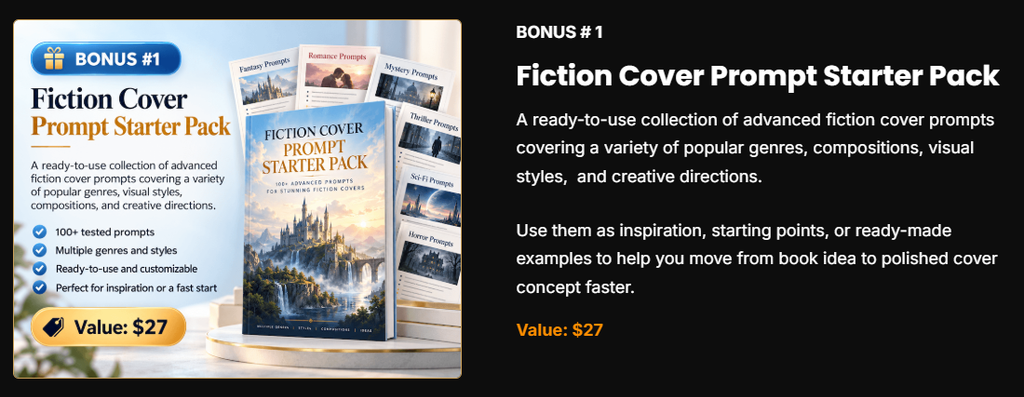
- Fiction Cover Prompt Starter Pack (stated value $27): ready prompts across genres, layouts and styles
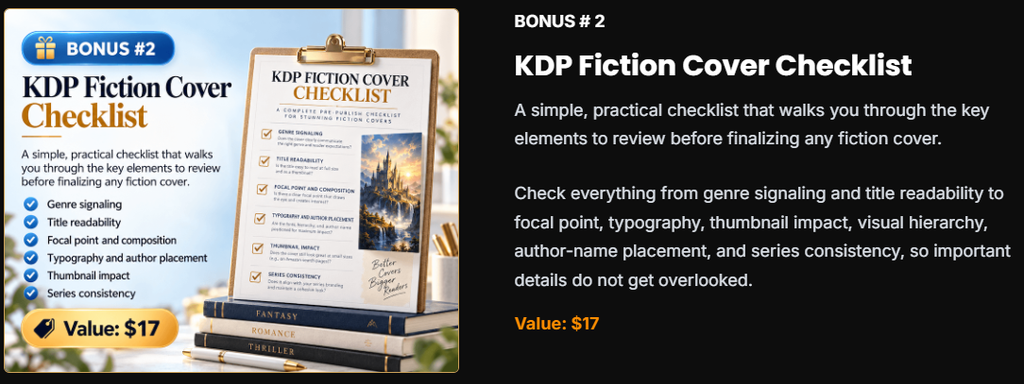
- KDP Fiction Cover Checklist (stated value $17): a review list to use before you finish a cover
- Fiction Genre Color Palette Guide (stated value $19): color ideas that suit each genre

- Fiction Series Branding Worksheet (stated value $22): a plan for a matching series look

- KDP Non-Fiction Cover Studio (launch bonus): a separate app for business, self-help, health, finance, productivity, memoir and how-to covers
The FAQ says the Non-Fiction Cover Studio is a launch-period bonus. It may not stay after the launch ends.
Who Should Buy KDP Cover Studio and Who Should Not
You should buy it if
- You already use an AI image tool and want better prompts
- You are not sure what your genre’s covers should look like
- You write a series and want matching covers
- You want a clear brief to hand to a designer
- You run several pen names and need a repeatable process
You should not buy it if
- You want a finished cover file with one click
- You do not want to pay for or learn an image tool
- You need a full paperback wrap with spine and back
- You are buying it again after a refund (no second refund is allowed)
Tips to Get a Better Cover From Your Prompts
These steps help you turn the app’s prompts into a cover that sells.
- Study your genre first. Look at the top 20 books in your category. Note the colors, fonts and layouts they share.
- Make the art without text. AI image tools often misspell words. Add your title and name later in a design app.
- Do the thumbnail test. Shrink your cover to the size of a stamp. If you cannot read the title, make it bigger.
- Make several versions. Run each prompt a few times. Pick the strongest image.
- Check image rights. Use an image tool whose terms allow commercial use.
- Answer the AI questions on KDP. The KDP content guidelines ask you to tell KDP about AI-generated content, and that includes cover images.
KDP Cover Studio Pros and Cons
Pros
- Low $17 one-time price
- No monthly fee and no credits
- No API key or install
- Covers many fiction genres and subgenres
- Plans for thumbnail readability
- Helps keep a series consistent
- Useful bonuses, plus a free non-fiction studio at launch
Cons
- Gives prompts, not finished cover images
- You need a separate AI image tool
- Only the 2:3 format is named
- No spine or back cover help
- No demo video and no buyer reviews yet
- Refund only on your first purchase
- Non-fiction bonus may end after launch
KDP Cover Studio vs Other Ways to Get a Cover
| Option | What you get | Cost | Your work |
|---|---|---|---|
| KDP Cover Studio | Genre-smart brief and prompts | $17 + your image tool | Make the art, add text, resize |
| Plain AI image tool alone | Images from your own prompts | Your tool’s plan | Plan everything, write prompts, add text |
| Premade cover | A finished design | One-time fee per cover | Pick one and add your title |
| Hire a cover designer | A custom finished cover | Usually much higher | Write a brief and give feedback |
The app’s main value is the thinking it does for you. A plain image tool can make pretty art. But it will not tell you what a cozy mystery cover should look like. KDP Cover Studio fills that gap. Even if you later hire a designer, the brief gives them a clear starting point.
Many fiction authors pair a cover tool with a writing tool. You can read our BookSeriesAI review for series planning or our LitRPG AI review for genre writing. Once your book is live, BookBloom AI covers the promotion side.
Refund Policy and Support
KDP Cover Studio comes with a 30-day money-back guarantee. The sales page says your purchase is “fully protected” by a no-questions-asked satisfaction guarantee. If you try the guided process and feel the tool gave you no real value, contact the vendor and they will make it right. The vendor’s Terms of Service confirm that their products come with a 30 Days Guarantee.
Refund rules to know: The refund applies to your first purchase only. If you get a refund and buy again later, the second purchase cannot be refunded. After a refund, you must delete all downloaded files, and your right to use the app ends. If you are charged twice by mistake, the vendor will check and refund the extra charge. WarriorPlus only handles the payment, so send refund and support requests to the vendor through the Digital Rocket Hub contact page. Ask within 30 days of purchase.
Final Verdict: Is KDP Cover Studio Worth It?
KDP Cover Studio is worth $17 if you want help planning genre-right fiction covers. It asks the right questions. It writes clear prompts. It helps series look like a set. The bonuses and the launch-time non-fiction studio add extra value.
Go in with clear eyes, though. This is a planner and prompt writer. You still need an image tool, a design app and some time. Print authors still need to build the spine and back cover. There is no demo video and no buyer reviews yet. On the plus side, the 30-day guarantee lowers your risk.
If you already make AI art and want covers that fit your genre, this app can save you a lot of guesswork. If you want a finished cover file in one click, look elsewhere.
KDP Cover Studio Review: FAQs
What is KDP Cover Studio?
It is a browser app that guides you through fiction cover choices. It then writes a cover brief and genre-smart AI prompts for your book.
Does KDP Cover Studio make the cover image?
No. The FAQ says you copy the prompts and use them with your own AI image tool. The app plans the cover. Another tool makes the art.
Who made KDP Cover Studio?
Digital Rocket Hub. The JV contacts are Eric Dimitriadis and Chad Eljisr. It sells on WarriorPlus.
How much does KDP Cover Studio cost?
The front end is $17 one time. There is no monthly fee. Your AI image tool may cost extra.
When does it launch?
November 17, 2026 at 11:00 AM EST. The launch runs until November 21, 2026.
Do I need design skills?
No. The app guides you step by step. You will still need basic skills to add text and resize the final image.
Do I need an API key?
No. There is no API key, coding or install. It runs in your web browser.
Which genres does it cover?
Fantasy, romance, thriller, mystery, cozy mystery, sci-fi, horror, historical, paranormal, supernatural, literary and contemporary women’s fiction, with subgenres for several of them.
Does it work for non-fiction?
Yes, during launch. The Non-Fiction Cover Studio is a launch-period bonus. It is also part of the $27 Expansion Pack upgrade.
Is the output the right size for KDP?
The sales page only names a 2:3 format. KDP recommends 1,600 x 2,560 pixels for eBook covers. You will need to resize or crop your final image.
How many upsells are there?
Three: the Expansion Pack ($27), KDP Promo Studio ($37) and KDP Cover Studio Goldmine ($67). All are optional.
Is there a refund policy?
Yes. The vendor gives a 30-day guarantee. It covers your first purchase only, and you must delete the files after a refund. Send refund requests to the vendor, not WarriorPlus.
Will KDP accept covers made this way?
The vendor makes no promise. You are responsible for the image rights, the correct size and the AI disclosure when you publish.