
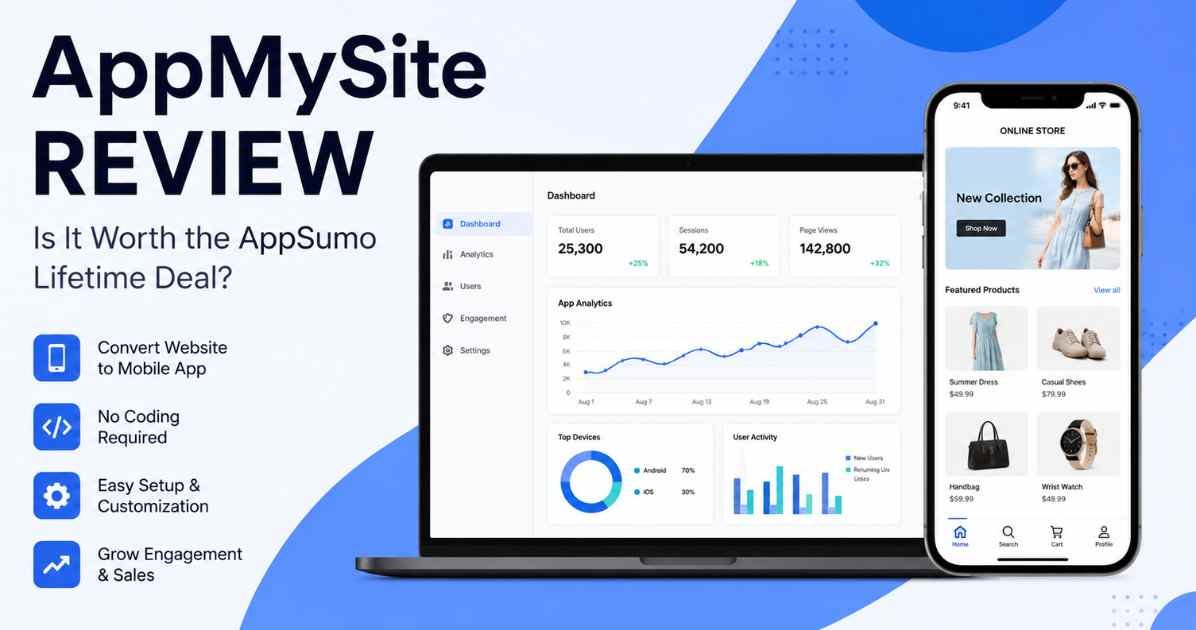
If you are interested in having an App, this AppMySite review is for you. But you can’t code. It’s a very serious matter.
A Developer is a man who takes money. Coding lessons can be months of work. Most people don’t have either of these.
I did a little research on AppMySite. Is it a real fix? Or just another empty promise? This is a review of the good points! It includes the negative aspects as well.
There are no products I’m promoting here. I only want to inform you of the facts first.
Quick Verdict
Feature | Value |
Our Rating | ★★★★☆ (4.4/5) |
Best For | Bloggers, Agencies, WordPress & Shopify Store Owners |
Starting Price | $199 Lifetime |
Pricing Model | One-Time (AppSumo Lifetime Deal) |
Free Trial | No |
Money-Back Guarantee | 60 Days |
Verdict | Recommended, With Conditions |
Try It Here |
AppMySite delivers excellent value for people who want to build mobile apps without coding. The AppSumo lifetime deal removes recurring subscription costs, making it appealing for long-term users. Still, choosing the right license tier is important because feature limits vary between plans.
Pros and Cons
What I Liked:
- No coding needed. At all.
- Supports WordPress, WooCommerce, and Shopify.
- You pay once. No monthly bills.
- Push notifications are available.
- You can test your app prior to its launch.
What I Didn’t Like:
- Setting up image size can be complicated.
- Maker changes are limited to deep design changes.
- There are categories of plans, some of which have been modified over time.
What Is AppMySite?
AppMySite is an app maker that doesn’t require coding. Converts a website into an actual application. One for Android. One for iPhone too.
Imagine the situation of a small bakery. It has a busy blog. The owner is unable to program in any way. AppMySite links to that blog. It develops an app out of this. This can take place in hours, not months.
There is no need to write any code. It’s as simple as clicking and dragging. Then it’s preview time for the app. That’s why this AppMySite review has been created.
Why I Looked Into AppMySite
Small business owners have one question that is asked quite frequently. Where to find an app? Without developing a team of developers?
The price tag of a freelance app developer is thousands of dollars. This is not something that most small shops can afford. App tools amount to a lot over the course of several years.
AppMySite is designed to remedy this shortcoming. It will guarantee a working app. Click–not–code–constructed! For a one-time fee. I wanted to know if it’s true that promise.
Why No-Code Wins
The time-consuming process of creating an app is expensive. You will need even more if you desire it on both Android and iPhone. You need to hire a developer, a designer, someone to test it, and perhaps someone to oversee the whole thing. The expenses quickly start to mount up, and they can be extremely costly, sometimes thousands of dollars.
There are tools such as Flutter or React Native that will enable you to develop for both phones simultaneously. That may be easier, but someone must have the skill to operate them, too. But when you’ve created your app, you’re not finished. There were still a lot of bugs to be fixed, and updates to add for a long time.
That’s a lot to handle if you are a small business owner, blogger, or have just started a company. Most people don’t have a lot of time and money to put into it.
This is why there is an increasing interest in no-code solutions such as AppMySite. There is no need to write any code. Its drag-and-drop functionality allows you to build your app for Android & iPhone. Or, if you already have a WordPress website, WooCommerce, or Shopify, you can convert it into an app in no time. Don’t have to redo it.
Quick Overview
AppMySite does one job well. It helps you build an app without any code.
You pick a website to turn into an app. Or you start fresh. Then you pick colors and menus in a simple dashboard. WordPress, WooCommerce, and Shopify all connect right away. Agencies, freelancers, and bloggers can all use the same tool.
Detail | Info |
Product Name | AppMySite |
Best For | Businesses, Agencies, Bloggers, Online Stores |
Platform | Web-Based |
Main Benefit | Build Android & iOS apps without coding |
Ease of Use | Easy |
Starting Price | $199 Lifetime |
Pricing Model | One-Time (AppSumo Lifetime Deal) |
Free Trial | No |
Money-Back Guarantee | 60 Days |
Key Features
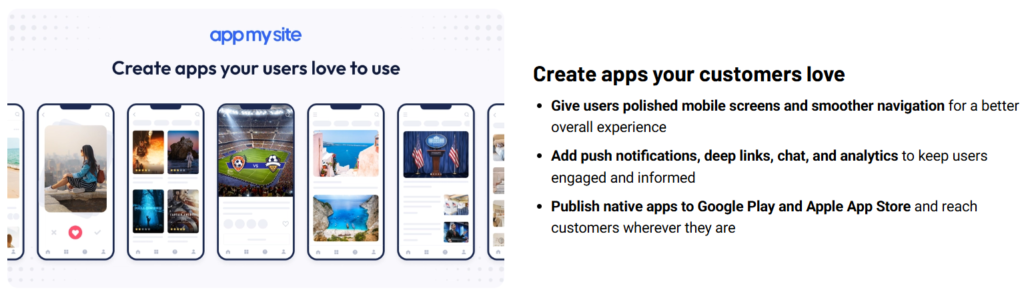
No-Code App Builder
The whole application is created in one screen. No code at all. It’s not too difficult for a beginner to play. But it has lots of room to grow with your business as well.
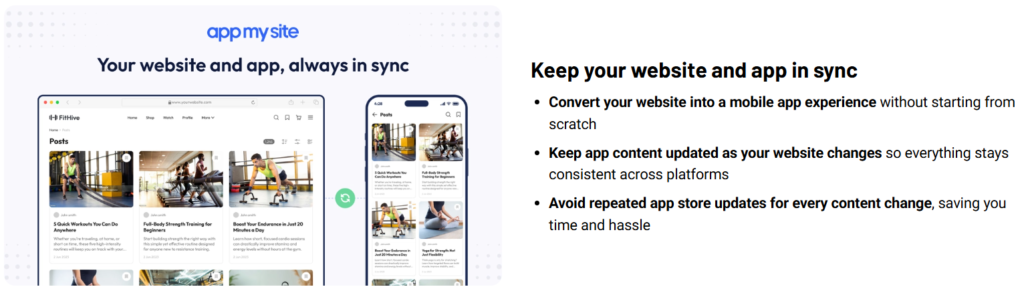
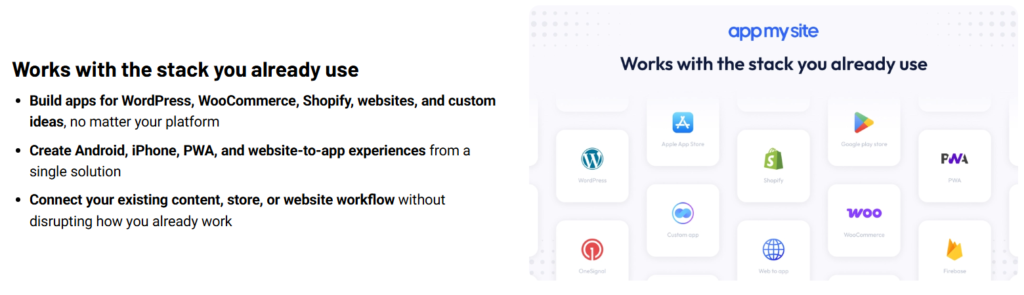
WordPress, WooCommerce, and Shopify Integration
Do you already have a website? This is where AppMySite can be of most assistance. It automatically fetches content for you. You are not going to begin at the start of the lesson. Your app is always updated with your site.
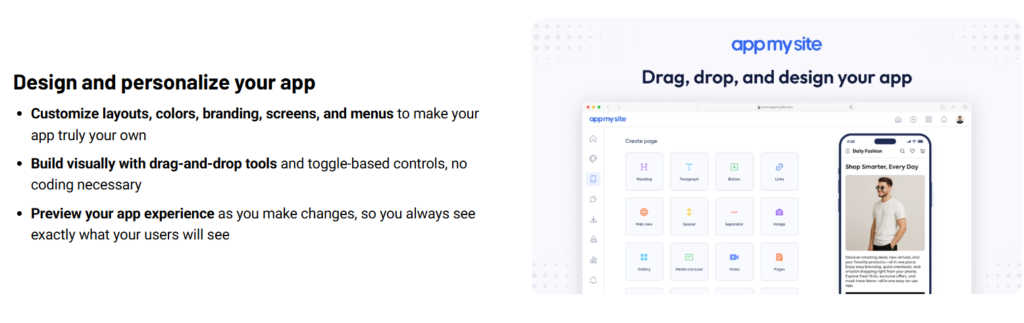
Visual Design Customization
Colors, menus, and layouts can be changed. Click and drag—it’s that simple! No code. Don’t hire a designer! A preview is available online to see the result first.
Android and iPhone App Publishing
A single dashboard creates both types of apps. There are no two projects you have to run. This is a time and effort saver.
Push Notifications
Message directly to a cell phone. A new product. A new blog post. A sale. It goes out fast. No email needed.
Real-Time Preview
All changes are immediately reflected. You’re able to see it on a virtual cell phone. You prevent issues from happening in your users’ heads. This eliminates a lot of the “guesstimating.
Agency-Friendly Tools
Team seats are added to the higher plans. They also offer white label solutions. That makes it easy for agencies to develop apps for a multitude of clients.
How It Works
Making your website an app with AppMySite is simple. It’s really quite simple, step-by-step.
1. Connect Your Website
Firstly, create your AppMySite account. Type in your web address. If you’re running WordPress or Shopify, you’ll have to add in a small plugin or API key. This enables your website to be associated with your new app.
2. Design Your App’s Appearance
Upload your App’s Logo. Select the colors that people will be able to see. Create a splash screen as well — it’s the first screen that your user will see when they open the app. Make sure to incorporate the same look and feel as your website, making it appear the same brand.
3. Design your App layout
Now create your own homescreen. In AppMySite, there is a visual tool so that you can only click and drag. Use sliders to display products. Include the menu bar at the bottom. Make links to various pages or categories.
4. Test It Out
Test the application to see how it works before you publish it. AppMySite has an inbuilt preview tool. A test copy is also available to download directly to your cell phone. That way, you’ll know how it feels to use it; from swipes to taps, you’ll know what it’s like.
5. Publish Your App
Happy with it? Hit build. AppMySite generates all the required files: .apk, .aab (Android), .ipa (iPhone). Afterward, these files are uploaded to Google Play and the Apple App Store. Note that you’ll need developer accounts for both stores beforehand.
There’s one important thing to highlight — step 5 requires a Google Play Console and Apple Developer account that will require a one-time or yearly subscription to the App Store and may take a few days to be accepted. Do you need me to write a note about that or leave it as is?
My Experience and Overall Thoughts
This is based on the official guides and some real buyer reviews. In one way, AppMySite does a job well done. It simplifies the process of creating an app. The dashboard is clean. There are no classes per se to attend, and nothing feels like a coding class.
There’s one thing that really jumps out at me. The list of platforms that it works on. All WordPress, WooCommerce, and Shopify work. That’s helpful if you have more than one of these for your business.
Not all that great, but… Some people find it confusing which image size to buy for. Some would like greater freedom of design. Plans are rumored to be changing at AppSumo. However, the company claims existing customers will have the same contract.
If you need an app fast but don’t want to hire anyone, then this AppMySite review demonstrates a tool which in most ways serves its purpose.
Real Use Cases
Bloggers
A blogger who has loyal WordPress readers will be able to create an App. Push alerts alert readers when there’s a new post. No more patiently waiting for email.
WooCommerce Store Owners
A small eCommerce site obtains a genuine shopping app. Products and checkout from the store. No rebuilding needed.
Shopify Sellers
Shopify sellers are afforded the same advantage. You have a mobile app for your store. Customers are able to purchase straight from their handset.
Digital Agencies
If there are numerous clients involved, then a higher plan can be utilized. They are able to develop a number of applications with a single account. They can purchase white-label tools, allowing them to put their own name on the product.
Freelancer who provides App Services.
Freelancers can add apps to their list if they develop sites. This is an additional way to make money. Don’t need to know app coding!
Biggest Advantages
- No programming is required. None at all.
- Links right to WordPress, WooCommerce, and Shopify.
- This decreases the time from months to days with cuts.
- Develops actual Android and iOS Apps. Not just web pages.
- One payment. No dragging bills!
- All plans include push alerts.
Benefits — Why People Choose It
Faster App Launches
You don’t have to wait for a long build time like most apps. This translates to actual user feedback sooner.
Easier Customer Contact
Push alerts are sent instantaneously to the phone. This trumps email when it comes to quick visibility.
Matching Brand Look
The same content and style are used throughout your website and app. Users receive a clean user experience.
Lower Costs
Thousands of dollars in developer fees can be covered with one AppSumo payment. That’s a huge achievement for a small business.
Simple Dashboard for Beginners
The visual editor doesn’t complicate things. All beginners can follow along.
What I Didn’t Like
No tool is perfect. According to this AppMySite review, AppMySite is the right choice.
But there are limits to design freedom. For a truly unique app, a custom build will be unbeatable.
There’s still a learning curve to publishing. There are additional steps to take to get an app approved for Google Play or the App Store. AppMySite can’t help you avoid those!
All plan tiers do not offer the same features. Carefully read and follow the plan chart. Don’t assume that the lowest cost plan is the best plan.
If a team requires it, BuildFire will provide additional design control. One area where AppMySite is somewhat lacking is that spot.
Pricing Plans
AppMySite runs on a one-time AppMySite appsumo deal. You pay once. No monthly bills at all. Every license also includes future Pro Plan updates. It comes with a 60-day money-back guarantee. You can upgrade or downgrade too, while the deal stays active.
AppMySite AppSumo Pricing Plans
License Tier | Price | Regular Price | Best For |
Tier 1 | $199 | $1,404 | Individuals & Beginners |
Tier 2 | $299 | $4,680 | Freelancers & Small Businesses |
Tier 3 | $399 | $6,700 | Growing Businesses |
Tier 4 | $499 | $9,000 | Agencies Managing Multiple Apps |
Tier 5 | $599 | $11,000 | Professional Agencies (Recommended) |
Tier 6 | $1,999 | $11,000 | Large Teams |
Tier 7 | $2,299 | $13,000 | Enterprise Agencies |
Tier 8 | $2,499 | $15,000 | High-Volume Agencies |
Tier 9 | $2,699 | $17,000 | Large Enterprise |
Tier 10 | $5,999 | $19,000 | Unlimited Agency License |

What is covered in all of the licenses?
Regardless of the subscription level you choose, this AppMySite lifetime deal brings you the same list of essential components:
- Access to AppMySite for a lifetime.
- All future updates in Pro Plan (Pay-per-app) will be free.
- Android & iOS app builder.
- Conversion of websites to apps.
- WordPress integration.
- WooCommerce integration.
- Shopify integration.
- Custom-made mobile application developer.
- Unlimited downloads.
- In-app browser.
- Customizable design.
- Real device testing.
- Push notifications.
- Monetization features.
- Commission on sales is waived.
- Faster app builds.
- User consent prompt.
- No AppMySite branding.
- Language selection.
- 60-day money-back guarantee.
- Take advantage of upgrade/downgrade choices during the deal.
What AppMySite License is right for you?
Tier 1, which costs $199, is designed for bloggers and individuals who are creating just a few apps.
Tier 2 ($299) is meant for freelancers or small businesses that have more than one project to manage.
Tier 3 retails for $399 for expanding companies that require more app area and team collaboration.
Tier 4 ($499) is for agencies with multiple apps.
Tier 5 ($599) is the suggested choice for professional agencies. It unlocks unlimited pay-per-app licenses, at a much lower price than the higher enterprise tiers.
Tiers 6-10 are designed for larger agency and enterprise customers. They include white-label tools, unlimited collaborations, and support for many client projects.
All in all, Tier 5 is the best of the bunch when it comes to features and value. The most intelligent beginning place for individuals and small businesses is Tier 1.
Alternatives — Other Tools to Consider
Alternative 1: BuildFire
If you are a team in need of deep app control, BuildFire is for you. More plugin options than AppMySite. However, you have to pay a monthly charge, rather than a single price. If you are more concerned with design flexibility than price, then choose BuildFire.
Alternative 2: GoodBarber
GoodBarber offers you more variety from which to choose. It is not as well integrated with WooCommerce or Shopify as is AppMySite. If you have the most urgent need for design, then pick it up.
Alternative 3: Thunkable
Thunkable creates Apps from scratch. The one that’s not designed for making a website into an application. It works for those who don’t have a website. If you already own a site, then AppMySite gets the credit.
Comparison Table
Tool | Best For | Starting Price | Pricing Model | Strength | Weakness |
AppMySite | Website-to-app builds | $199 Lifetime | One-Time (AppSumo) | Strong site links, one-time price | Limited deep design control |
BuildFire | Advanced business apps | Custom | Monthly | Deep design tools | Ongoing monthly cost |
GoodBarber | Design freedom | Custom | Monthly | More templates | Weaker store links |
Thunkable | Drag-and-drop builds | Custom | Monthly | Build with no website | Harder learning curve |
What Users Are Saying
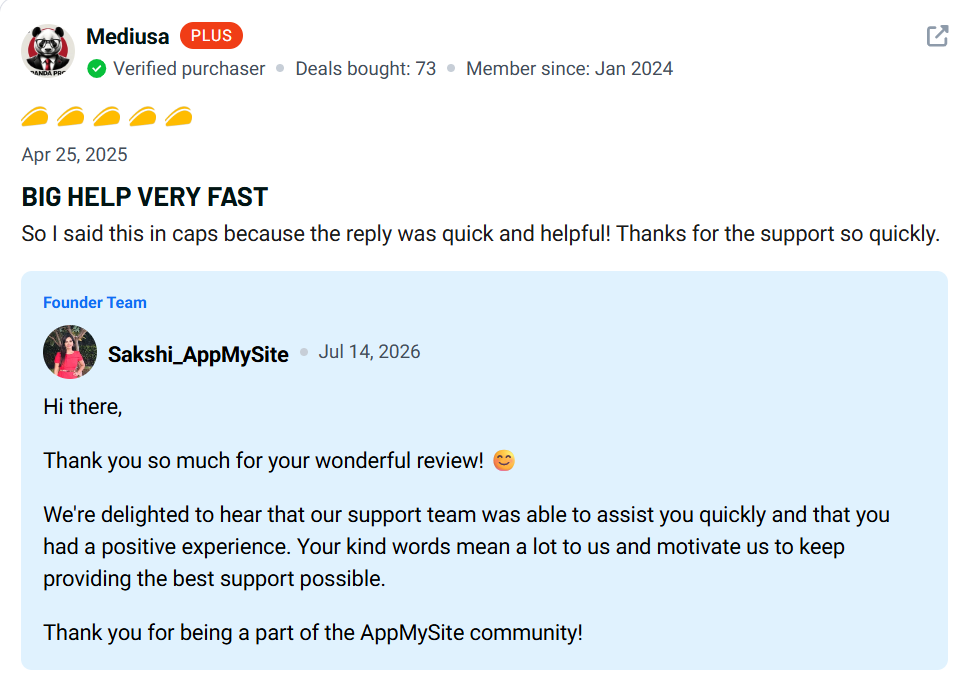
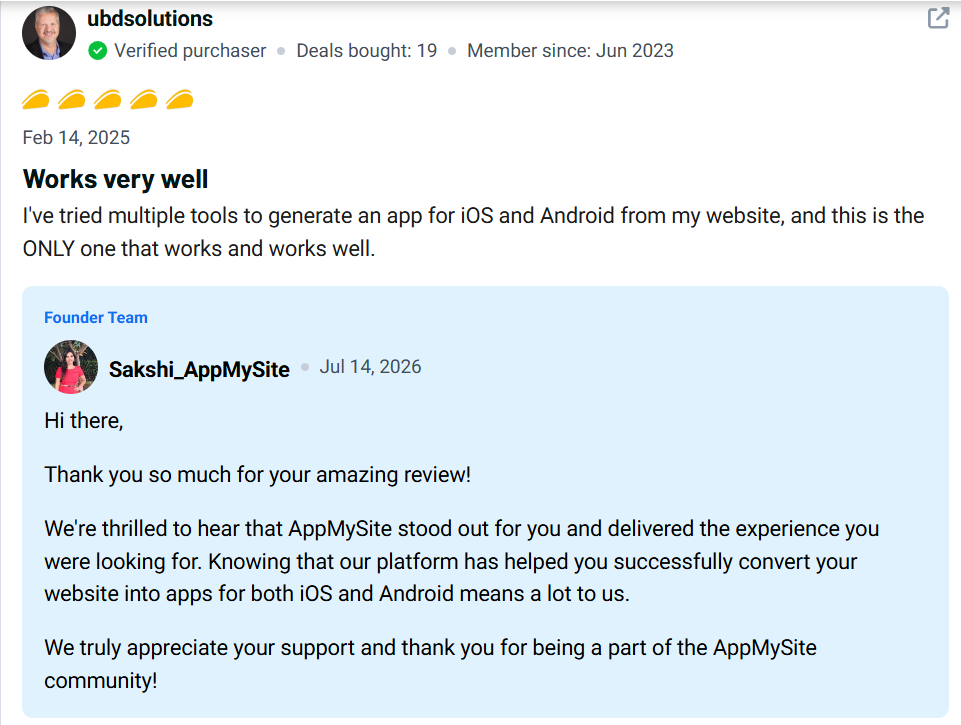
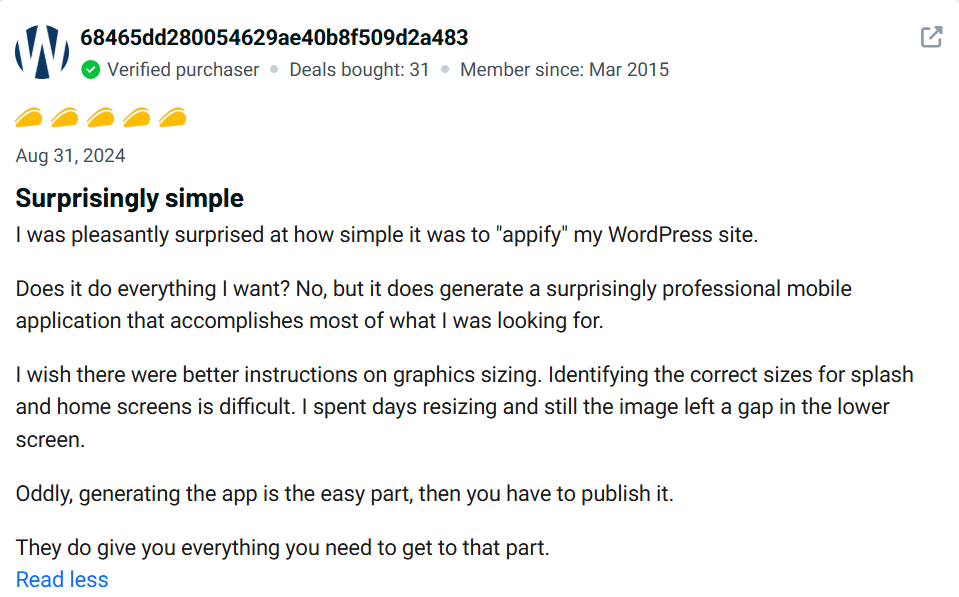
Verified AppMySite reviews on AppSumo are mostly good. Many buyers say they turned a WordPress or WooCommerce site into an app fast. No code needed at all.
Good quick response times are a benefit the buyers will appreciate. One of the features that they enjoy is the one-time payment. This is better than other tools that charge monthly fees.
There are also a couple of common issues that arise. Some buyers find themselves getting tripped up when setting up images. Others are looking for design options that the editor doesn’t provide. Some questioned modifications to AppSumo plan levels. The company responded to these questions. It states that any people who are old buyers will be honored with the original deal.
In the feedback, there is nothing that indicates the tool is not doing its primary task. The complaints here are not about anything that’s broken, but about anything that is limited.
Is AppMySite Legit?
- Originally launched in Delaware, USA in 2018.
- Develops actual Android and iOS applications, not merely web pages.
- Direct integration with WordPress, WooCommerce, and Shopify.
- Plus a 60-day money-back guarantee.
- Has hundreds of verified reviews on AppSumo.
- Responds to buyers’ questions regarding plan changes in public.
Is AppMySite Easy to Use?
- No coding skills required.
- Live preview indicates changes prior to going live.
- Easily change menus and colors with a simple click.
- Setup Guides help you through each step.
- There’s still some learning to be done when it comes to the App Store and Google Play.
- An app can be launched for most beginners in just a few days.
Who Should Buy AppMySite
- Bloggers wishing to have their own reader applications.
- WordPress owners who desire to be mobile quick.
- Online stores like WooCommerce and Shopify that wish to have a shopping application.
- Agencies with a handful of application projects.
- Any freelancer interested in providing app building services.
Who Should NOT Buy AppMySite
- Anyone who requires custom design that’s pixel-for-pixel accurate.
- Teams that require more sophisticated enterprise app logic.
- Users who only require an internet connection that can be used on a mobile device.
- The developers who need complete access to the app’s code.
Final Verdict
At the end of this research, this AppMySite review concludes with a definite yes. That is, for the right person. It’s a great app when you are running a WordPress, WooCommerce, or Shopify website and want it up and running as soon as you can.
The highlight of this is the one-time AppSumo price. It is better to pay $199 up front than to pay years of monthly charges. Simply select the tier for your app and team size.
It’s not meant for teams that require a full custom design. For others, it’s a quick and cost-effective method to create an application. Before the price increases, check the current price of the AppSumo deal.
FAQ
Q1: Is AppMySite worth it?
Yes, for the majority of bloggers and small store owners. This AppMySite review concluded that it was a good value for money due to the one-time payment and its no-code setup.
Q2: Does AppMySite have a free trial?
No. No free trial available. All plans come with a 60-day money-back guarantee, though. It can be tested with no risk.
A3: The refund policy for AppMySite is subject to change.
AppSumo customers have a money-back guarantee of 60 days. If the tool is not suitable for you, ask for a refund during that time frame.
Who does AppMySite review work for?
Bloggers, WordPress and Shopify owners, freelancers, and small agencies come in from this AppMySite review.
Q5: What’s the difference between AppMySite and BuildFire?
AppMySite has a one-time price. BuildFire charges monthly. BuildFire has additional design tools. AppMySite is a better option in the long term.
Q6: Is AppMySite easy to use?
Yes. The dashboard and live preview are designed for non-tech users. It is suitable for beginners.
Q7: Is it possible to use AppMySite for an online store?
Yes. It directly integrates with WooCommerce & Shopify. It is possible to create a shopping app in no time at all for your store.
Q8: What do real users say about AppMySite?
Verified AppMySite reviews on AppSumo are mostly good. Buyers praise fast support and easy setup. Some mention image size issues.
Q9: Which AppMySite plan is best for small teams?
Tier 3 or Tier 4 fits most small teams. They add more app limits and team room than the base plan.
Q10: What are the top alternatives to AppMySite?
BuildFire, GoodBarber, and Thunkable are the main options. All three charge monthly, unlike the AppMySite lifetime deal.