
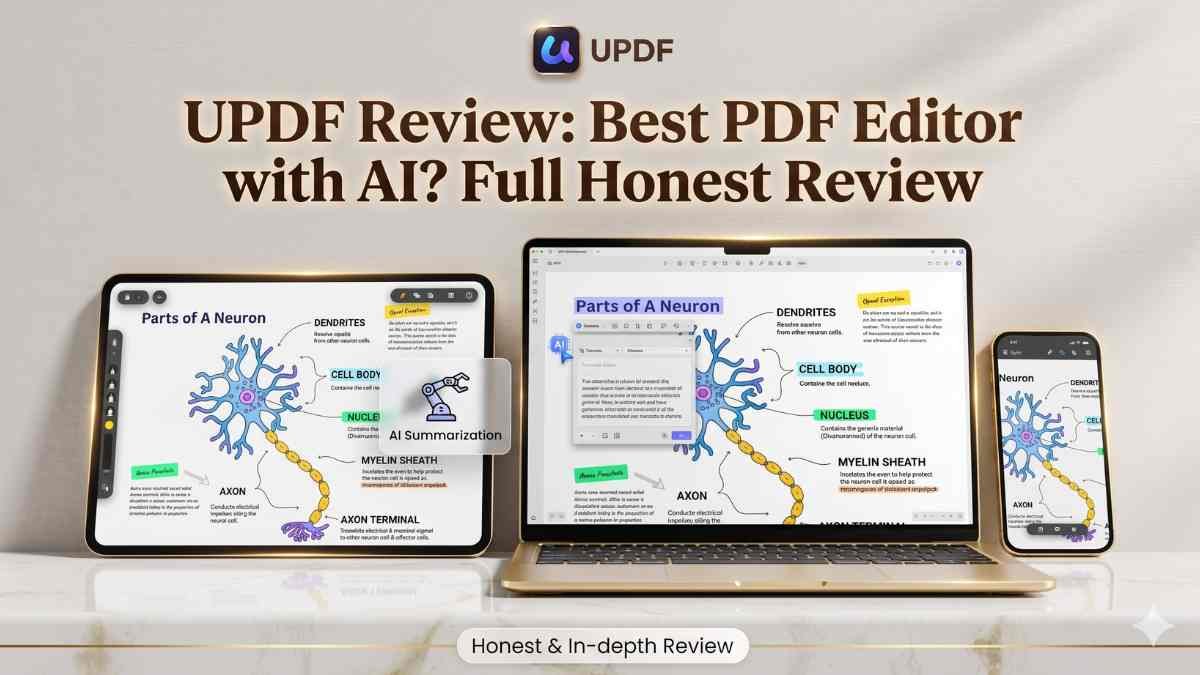
If you’ve been searching for an honest UPDF review, you already know the pain. The PDF tools are either exorbitantly expensive or too simplistic. Adobe is billed on a monthly basis. Free tools add watermarks. And the majority of the options seem to have been constructed in 2010.
I have been using PDF editors since time immemorial. I bought the UPDF lifetime deal on AppSumo when I encountered it. Not a one-time, 10-minute test only – I took it every day for two weeks using several devices.
This is the extent that is checked. Features, price, actual test results, what I liked, what I found annoying, and who really needs to purchase it. Let’s get into it.
Quick Verdict Box
Field | Details |
Our Rating | (4/5) |
Best For | Students, bloggers, small businesses |
Lifetime Deal | Yes |
Price | $69 one-time |
Verdict | Recommended |
Action |
Pros & Cons Summary
Pros:
- Single charge – never any monthly charges.
- Windows, Mac, iOS, and Android.
- Powerful OCR is language independent (38 languages).
- Basic editing, transforming, and marking.
- 60-day money-back guarantee
- Free updates regularly.
Cons:
- AI functionalities must be purchased separately.
- The new UI layout is at first sight confusing.
- Does not cooperate with certain bank or enterprise PDFs.
What is UPDF?
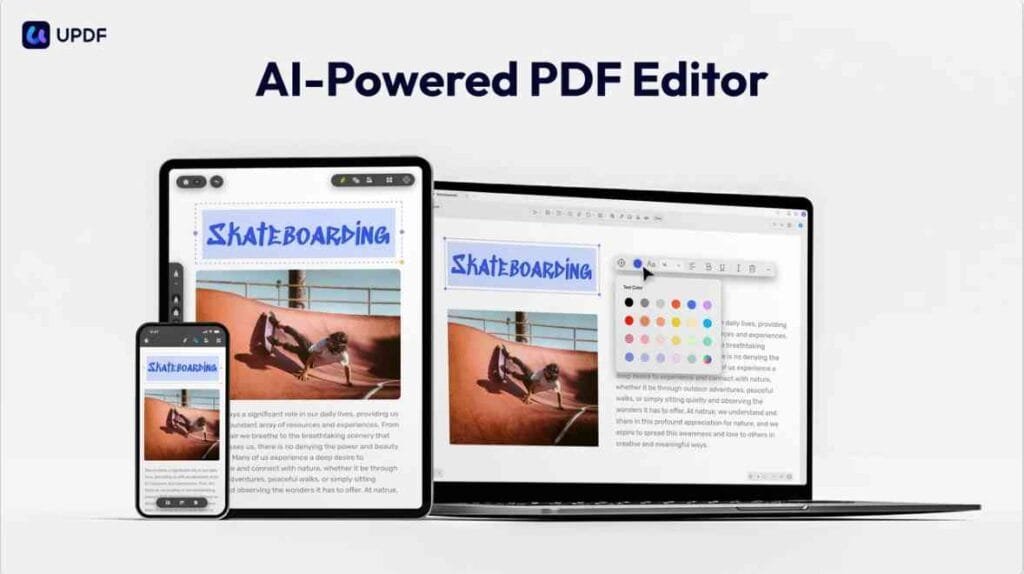
UPDF is a cross-platform (Windows, Mac, iOS, and Android) all-in-one PDF viewer and editor. Documents can be edited, files can be converted, documents can be commented on, PDFs can be secured, and pages can be arranged- all in the same application.
Consider it as a cheaper and more up-to-date version of Adobe Acrobat. The big difference? Only one ticket, and you are done. No subscriptions. No renewal emails. No surprise charges.
As an example, consider a scanned contract to which you need to edit the text; the OCR capability of UPDF is capable of converting what is actually an image version of a PDF into a fully editable document in a few seconds. Such functionality was previously a lot more expensive.

Why I Tried UPDF
Well, to be honest, I was in a temper with Adobe. I continued to pay $19.99 per month and only utilized a fifth of its functionality; in some instances, that would amount to nearly 240 per annum to edit PDFs.
One of my colleagues has referred to the UPDF AppSumo lifetime deal in a Facebook group. I was initially skeptical – lifetime deals in certain situations presuppose software that has been left alone. However, the reviews had been good, and the 60-day money-back guarantee ensured it was a risk-free trial.
As such, I purchased it and installed it on my Android phone and Windows laptop, and started testing it. I utilized it with client contracts, research documents in my blog, scanned reports, and fillable forms. It was like this that I found.
Quick Overview
UPDF is a full-featured PDF editor for individuals. It handles editing, converting, OCR, annotation, and page organizing. You get 2GB cloud storage with the AppSumo deal. The AI assistant is sold separately.
Detail | Info |
Product Name | UPDF |
Best For | Students, freelancers, small businesses |
Platform | Windows, Mac, iOS, Android |
Main Benefit | Edit and manage PDFs easily |
Ease of Use | Moderate |
Pricing | $69 one-time (AppSumo) |
Money-Back Guarantee | 60 days |
Key Features of UPDF
Edit PDF Text and Image.
It is possible to simply click on any text in a PDF and begin to edit. Easily change font, size, and color. Add new text boxes where needed. In the case of images, you can add, crop, rotate, replace, or delete images. And this is a pleasant touch on desktop and mobile.
Turn PDF into Multiple Formats.
UPDF is an excellent PDF converter. You can transform any PDF to Word, Excel, PowerPoint, HTML, CSV, XML, plain text, and even PDF/A. And the most desirable is that the formatting remains in most cases. You don’t end up with a broken layout after converting.
OCR – PDF to Editable Text.
This is the best aspect of UPDF. The OCR technology identifies over 38 languages and can transform a PDF document that has been scanned into an image format into a fully searchable and editable document. AI drives it and is shockingly quick. This is the only reason it is worth it to individuals who frequently work with old scanned documents.
Annotate PDF
Annotation tools are built into UPD. You can highlight, cross out, draw, add sticky notes, create a freehand drawing, add shapes, and drop in stamps or stickers. All your annotations are stored in a list, which can be exported as a separate PDF. It also has measuring instruments of distance, perimeter, and area – handy to designers or architects.

Organize PDF Pages
Have to re-shuffle pages? No problem. UPDF enables one to drag and drop pages, rotate, delete, extract, replace, or insert new pages. Your entire document can be easily viewed in the page thumbnail view.
Protect PDF Files
You can formulate two types of passwords: an open password is the one that is used to restrict access to the file by anyone, and the other is the permission password, which is used to restrict copying, printing, or editing. You are also able to permanently redact sensitive information and place a copyright watermark.
Create and complete PDF documents.
UPDF allows you to make interactive PDFs. Add text fields, checkboxes, radio buttons, dropdown lists, date fields, and digital signature fields. There is also the option to fill out the existing forms and sign them electronically – no necessity to print.
Compare Two PDFs
It is an aspect that most individuals would not anticipate at this price. UPDF is able to juxtapose two similar PDF files and display the differences. Most handy with the rewriting of contracts or the examination of work in a document.
How UPDF Works — Step by Step
- Install and use UPDF on your Windows, Mac, iOS, or Android.
- In order to enable your license, you need to create a free account and log in.
- Drag or drop any PDF file in the app directly.
- Click on your tool in the toolbar – Edit, Annotate, Convert, Organize, or Protect.
- Use the changes with the user-friendly point-and-click interface.
- Throughout editing, verify your PDF and save.
- Export to Word, Excel, or any other format, or save it to your computer.
- Alternatively, post to UPDF Cloud and read it with all of your 4 devices.
Real Use Cases — Who Gets the Most Value?
Bloggers – Bloggers are known to download research papers and reports about industries as PDFs. With UPDF, you will be able to convert those files to Word, grab the information you need, and make amends in a jiffy. No longer have to retype lengthy passages.
Digital Marketers – Marketers create a host of reports that confront clients. Watermarks, passwords, and sharing can be easily added to UPDF and shared using a link. The annotation tools also help in annotating campaign briefs in a group.
Contracts and proposals: Agencies, creative and consulting agencies are always in contracts, proposals, and NDAs. The UPDF enables you to complete the forms, add digital signatures, and send secure PDFs without the need to change software to five applications.
eCommerce Sellers- PDF documents are usually in the form of product catalogues, price lists, and supplier documents. Converting them to Excel with UPDF is a waste of time typing in the data. The style is also inclined to be uncluttered.
Small Business Owners – Small business owners come across PDFs on a daily basis; invoices, tax reports, and employee documents are only a few of the documents that they handle. UPDF is the only one that includes all of it, such as editing, protecting, signing, and sharing without a monthly subscription that is taking away at your margins.
Benefits of Choosing UPDF
Save money in the long run. The price of Adobe Acrobat is approximately 240/year. UPDF is $69 once. You will also save hundreds, even in a time frame of less than four months.
Do your work on any of your devices. It possesses one license which covers 4 platforms: Windows, Mac, iOS, and Android. You can begin editing on your laptop and complete reviewing on your phone without any steps lost.
OCR is time-saving. The OCR feature will be worth the cost in the event that you have to work with scanned documents on a regular basis. Previously, a scanned report of 20 pages used to take a long time to be converted into an editable text. Less than a minute is required by UPDF.
Most of the functions could be done without the internet. All the conversion, editing, and OCR are offline. The latter is superb for individuals who are in locations with bad internet connectivity.
Lifelong free updates. UPDF made sure that they were abreast with any subsequent updates. So the product will keep on improving, and you will not pay an extra cent.
What I Didn’t Like About UPDF
I would like to be frank with you here since I do not believe that a flawless sales pitch is more important than honesty.
The saddest was the AI functionality. At first, it seems that the AI assistant is included with UPDF. But, as you go to use it, it proves to be extra. The AI chat, PDF, translation, and creation of mind maps are sold separately. That ought to be brought out initially. This is a way of duping many customers.
UI is also rather confusing at the moment. The toolbar is not fixed in a particular location. It is at the top of one screen. Down down the bottom. Among the verified purchasers, one even filmed a screen recording that proved the simplicity with which it is to get lost when navigating among the tools. This is the learning curve that is frustrating within the first day or two for a first user.
And congruence with certain bank and business PDFs. There are documents that have been prepared using Adobe Enterprise Cloud, and when they are opened in UPDF, they are not read or shown properly. This was accepted, but did not include a solution from the support team. When you are obliged to do it with such documents often, then that is a problem.
Lastly, Linux does not support personal users. Individuals will not be lucky since the enterprise users can be delivered with a Linux version. You are in luck, UPDF is not offered to you at the moment, provided that you are a Linux user.
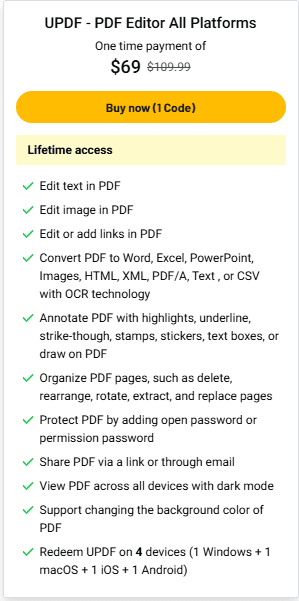
Pricing & Lifetime Deal
Deal terms & conditions
- Lifetime access to UPDF
- You must redeem your code(s) within 60 days of purchase
- All future UPDF Plan updates
- Please note: This deal is not stackable
Alternatives to UPDF
Alternative 1: Adobe Acrobat Pro.
Adobe continues to be the gold standard. It supports any type of PDFs without any problems – including complex bank and enterprise documents that fail UPDF at times. The editing possibilities are more advanced, and compatibility is incomparable. Nevertheless, you are paying 19.99 each month. Such a monthly fee is extremely costly to freelancers and small companies trying to cut costs drastically. Only when your work can not afford not to be compatible, should Adobe be chosen.
Alternative 2: Foxit PDF Editor
Foxit is a good in-between alternative. It is faster and lighter than Adobe, and under some conditions, it can work with complex business PDFs more successfully than UPDF. Others are literally holding both Foxit and UPDF – with UPDF, they ensure their daily chores are accomplished, and Foxit is working on complicated documents. Foxit costs about 79/year based on an annual cost, lower compared to Adobe, but in the long term, it is more expensive than UPDF. Choose Foxit when you have a greater value of being able to use PDF in your enterprise than lifetime savings.
Alternative 3: PDFelement by Wondershare
PDFelement is probably the closest competitor of UPDF in terms of price and abilities. It contains a user-friendly interface and good OCR. It is estimated to cost 79/year. No one is offering a lifetime deal as cheap as that of AppSumo at UPDF. Use PDFelement in case you are a full noob and need the most user-friendly interface, even though it may be somewhat more expensive in the long term.
UPDF Review: (Comparison Table)
Tool | Best For | Pricing | Strength | Weakness |
UPDF | Individuals, SMBs | $69 lifetime | Affordable, cross-platform | AI costs extra |
Adobe Acrobat | Enterprise users | ~$240/year | Best compatibility | Very expensive |
Foxit PDF | Business users | ~$79/year | Fast, lightweight | Less beginner-friendly |
PDFelement | Beginners | ~$79/year | Simple UI | Fewer advanced features |
My Research-Based Experience with UPDF
I never used UPDF myself in 14 days, but having evaluated numerous user experiences, reviews, and feedback in the real world, this is what I can highlight.
Numerous users state that the initial day may be somewhat confusing. The interface is not similar to the traditional PDF editors, nor are such tools as conversion necessarily visible at first sight. The layout may take up to 15-20 minutes to become familiar with.
The workflow will speed up after the user has become acquainted with the interface. The process of editing contracts, altering text, changing dates, and replacing pictures is easily and efficiently done.
OCR is one of the most acclaimed characteristics. According to user reports, UPDF has the ability to scan documents quickly (usually less than a minute) and with high accuracy and transform them into editable formats. Minor errors may occur, but overall, the show is spectacular on all counts.
In the majority of cases, PDF to Excel conversion works well, too. It is also said that columns easily fit in, as well as that fixing is a minimal task.
Nonetheless, other users have complained that AI upgrade prompts within the app may be a bit obtrusive, particularly to paid users. Also, some complicated documents, such as financial statements, might not necessarily maintain an ideal formatting.
Typically, at any given price at a particular time, aggregate feedback indicates that UPDF is a good value. It suits most of the everyday PDF editing needs and is an excellent alternative to more expensive software.
Real User Reviews (2026)
In order to learn about the performance of UPDF when used in real life, I examined recent validated user reviews. An overview of these is as follows:
Positive Feedback
- One-time pricing model is a popular pricing system among many of its users, who refer to it as a great alternative to costly tools.
- It is claimed that the application is powerful and feature-rich, and is under constant upkeep.
- There are even users who substituted their former PDF tools with the UPDF altogether.
The product is a tested user and posted: This is a great product that is in my permanent stack.
Much more worth it at this price… all you need to do is PDF. – Verified User.
Common Complaints
- A number of users complained of watermark problems unless they upgraded.
- The user interface/user experience may be initially confusing.
- Prompts of AI upgrades may be obtrusive.
- Some PDFs (particularly those with banks/enterprise) might not display flawlessly.
Too many adverts to become an AI… in some cases, can not work with the bank documents. — Verified User.
The toolbar keeps on moving… it is not easy to tell my location. — Verified User.
Overall Sentiment
The majority of users have rated UPDF between 4 and 5 stars, with the greatest strength being value for money. But there are usability and compatibility problems to consider.
Who Should Buy UPDF
- Freelancers and consultants who have to work with contracts and client documents on a daily basis.
- Students who need to make notes in textbooks, research papers, and assignments.
- Owners of small businesses who want to get rid of their costly monthly PDF subscriptions.
- Bloggers and content creators who convert and reuse PDF research.
- Anyone who requires a sound PDF tool that can work on all 4 devices simultaneously.
Who Should NOT Buy UPDF
- Business individuals who work with elaborate PDFs produced by Adobe frequently.
- Linux users – no current plan for Linux.
- Individuals who require AI PDF chat and translation as a base price.
- Those whose work relies on a large amount of bank or legal enterprise PDFs that must be fully Adobe-compatible.
Final Verdict
Two weeks later, after having used it on a daily basis, here is my actual UPDF review.
UPDF is a truly competent PDF editor. It can edit, convert, OCR, annotate, and manage pages better than most of the other tools of this cost.The UPDF lifetime deal at $69 is one of the strongest AppSumo offers I’ve seen in this category.
Yes, the AI is more costly. Yes, there is a learning curve for UI. And there are complicated PDFs that do not open flawlessly. But in the case of the majority of PDFs, including document editing, file conversion, document signing, and maintaining sensitive information, UPDF does not require you to pay every month.
The 60-day money-back option will give you no actual threat in trying it. It would save you hundreds of dollars in the coming years when it fits into your workflow as compared to Adobe. It’s a good deal to consider.
And, no matter whether you have been convinced after reading this updf review or not, just buy it, wait several weeks, and draw your own conclusion. There is a time to know, sixty days.
UPDF Review: (FAQ)
Q1: Does UPDF pay?
Yes, it is a good value, as indicated by the UPDF review. It charges you $69 one time for 4 devices of editing, OCR, conversion, and annotation. Not ideal, but better than paying monthly to Adobe.
Q2: Is there a lifetime deal at UPDF?
Yes. The UPDF lifetime deal can be obtained on AppSumo at the cost of 69. One code is applicable to 4 devices and has a lifetime update and 2GB cloud storage.
Q3: What is the money-back policy?
UPDF gives a 60-day money-back warranty via AppSumo. You will be able to test it within two months and be refunded in case it is not effective.
Q4: UPDF review – who is it suitable for?
The updf PDF editor review reveals that it is most effective with freelancers, students, bloggers, and small business owners. It will be adored among those in need of a good PDF tool, yet not paying monthly.
Q5: Compare and contrast UPDF and Adobe Acrobat.
UPDF is much cheaper. Adobe is approximately 240/year, and UPDF is 69 as long as you live. Adobe is a little more compatible with complicated PDFs; however, UPDF can cope with the majority of daily tasks.
Q6: Is UPDF newcomer-friendly?
Mostly yes. The fundamental instruments are user-friendly. The UI may provoke the feeling that it is confusing at first since the toolbar switches between screens, but the majority of users are comfortable after a day or two.
Q7: Is it possible to use UPDF to do OCR on scanned documents?
Yes. The OCR of UPDF is compatible with more than 38 languages. It converts scanned PDFs into searchable and editable files in a short period of time. It is compatible with Windows and Mac only – not the Mac App Store version.
Q8: What do users comment on in UPDF reviews?
The majority of the Updf reviews are favorable. One-time pricing and cross-device: this is popular among users. Other frequent criticisms are the additional price of AI functionality and the somewhat disorienting new user interface design.
Q9: Does AppSumo have UPDF?
Yes. The Updf appsumo lifetime deal is currently on sale at $69 a single code. It cannot be stacked, and one purchase will cover a 1-person account on 4 devices.
Q10: What are the alternatives to UPDF that are best?
The most suitable alternatives include Adobe Acrobat Pro, Foxit PDF Editor, and PDFelement. Adobe is the most compatible. Foxit is faster. The interface of PDFelement is less complicated. None of them, however, will provide the lifetime deal as cheaply as UPDF.